Open-Source MongoDB GUI for Docker Compose
A free, self-hosted MongoDB admin panel that runs as a single Docker container. Browse databases, query documents, manage indexes — no signup, no cloud, no config.
docker pull abdullahmia/compooss:latest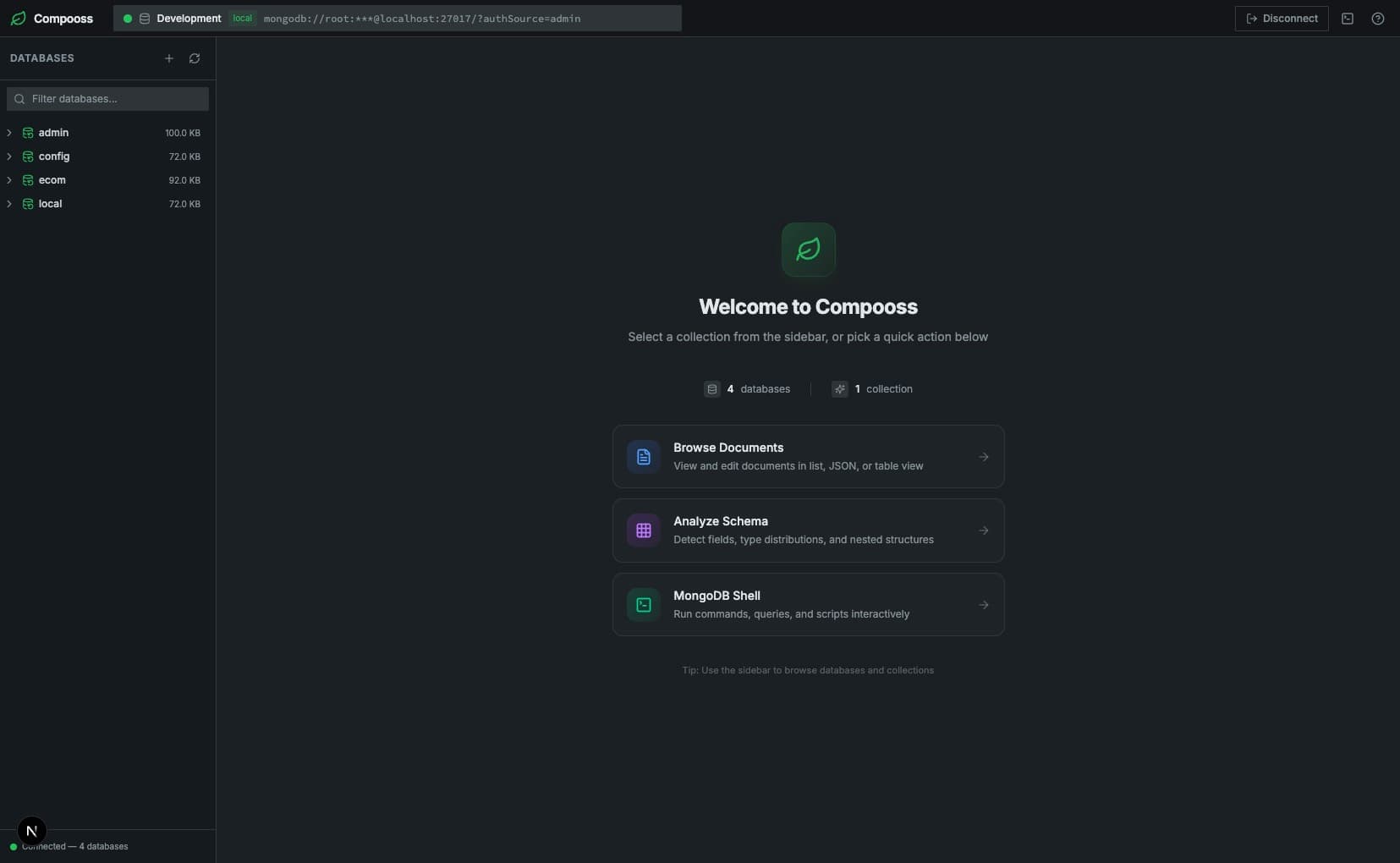
Installation
Install in seconds with Docker
Add Compooss to your existing docker-compose.yml or run it as a standalone Docker container. No build steps, no dependencies, no configuration files needed.
abdullahmia/compooss:latestservices:
mongo:
image: mongo:7
ports:
- "27017:27017"
compooss:
image: abdullahmia/compooss:latest
ports:
- "6969:3000"
depends_on:
- mongoEnvironment Variables
PORT—Server port. Default: 3000Features
A complete MongoDB management
tool inside your Docker stack
Compooss gives developers a fast, visual MongoDB client that fits into any Docker Compose workflow — no desktop apps, no cloud services, no complex setup.
Database Management
List, create, and drop MongoDB databases from a visual admin panel. Get real-time stats on document counts, storage size, and indexes at a glance.
Collection Explorer
Navigate MongoDB collections with an expandable sidebar. Instantly view document count, storage size, index count, and average document size per collection.
Full Document CRUD
Create, read, update, and delete MongoDB documents with an intuitive Monaco-powered editor. Supports JSON validation and syntax highlighting.
Data Export & Import
Export any collection to JSON or CSV. JSON exports support three Extended JSON modes — Default, Relaxed, and Canonical — preserving BSON types like ObjectId, Long, and Decimal128. Import from JSON or CSV with drag-and-drop, live preview, and per-row error reporting.
ER Diagram Generation
Automatically visualize collection relationships as an interactive ER diagram. Detects foreign-key references from ObjectId fields and field names with configurable sample sizes. Powered by ReactFlow and Dagre for auto-layout.
Multiple Connections
Save, edit, and switch between MongoDB connection profiles from a dedicated connection page. Supports authentication (SCRAM, X.509, LDAP, Kerberos), TLS/SSL, color-coded profiles, favorites, and test-before-connect.
Why Compooss
The MongoDB GUI that fits
your development workflow
Most MongoDB GUIs are desktop apps that need installation, configuration, and often a paid license. Compooss is the only one purpose-built for Docker Compose — the way modern developers actually work.
Docker-native by design
Runs as a single container in your Compose stack. No separate install, no desktop app, no config files — just one service block in your existing setup.
Free & open source
MIT licensed with no paywalls, no usage limits, and no account required. Self-host it forever.
Zero friction
One service definition and you're done. No wizards, no license keys, no cloud sync.
Feature comparison
Compooss vs the alternatives, feature by feature
Compooss
Best pickFree · Docker-native · MIT
18/18
features
MongoDB Compass
Desktop app · Install required
11/18
features
Designed for developers,
not database admins
Compooss gives you exactly the features you need during development — browse data, debug queries, inspect schemas — without the complexity of enterprise-grade tools you'll never use locally.
How it works
From zero to MongoDB GUI in three steps
No signup, no cloud dependency, no configuration wizards. Compooss connects directly to your MongoDB instance over your Docker network.
Add to your Docker Compose file
Drop the Compooss service into your existing docker-compose.yml alongside your MongoDB container. One service definition is all you need.
Connect from the UI
Open the /connect page in Compooss, enter your MongoDB connection string, and save a connection profile. You can test the connection before using it.
Open and start exploring
Navigate to localhost:6969 in your browser. Instantly browse databases, run queries, edit documents, and manage your MongoDB data through a visual interface.
MongoDB operations you can perform
Roadmap
What's coming next
Compooss is actively maintained. Here's what we're building next.
Data Export & Import
Export collections to JSON or CSV with optional filter and document limit. JSON exports support three Extended JSON modes — Default (legacy v1), Relaxed, and Canonical — to preserve BSON types like ObjectId, Long, Decimal128, and Dates. Import from JSON arrays or CSV with drag-and-drop, live preview, and per-row error reporting.
ER Diagram Generation
Automatically generate interactive ER diagrams from any database. Detects foreign-key relationships by analyzing ObjectId field types and field-name patterns across all collections. Configurable sample size (100–5000 docs), auto-layout via Dagre, and confidence-level edge coloring.